
Microcontrollers - ESP32, ARM and 8 bit Explained
- Why MCU choice shapes your entire product
- Three families engineers actually use
- 8 bit - still unbeatable for simple, ultra low power jobs
- ARM Cortex - the modern workhorse
- ESP32 - built in Wi Fi and BLE for connected devices
- Buses and communication
- Power design and battery life
- Security and encryption basics that matter
- OTA and firmware update strategy
- Memory, speed and peripherals - practical comparisons
- Development tools and ecosystems
- PCB layout and hardware do and do not
- Real world picks and example designs
- Quick selection tables
- Common pitfalls and how to avoid them
- Summary and next steps
- FAQ
Why MCU choice shapes your entire product
Pick the microcontroller well and everything downstream gets easier. Firmware compiles faster, the PCB layout is simpler, the battery lasts longer, and certification is less painful. Pick badly and every week you will fight a new constraint. We have learned to begin with requirements not parts. What does the product do, how often, how connected, how secure and how long should it run on a battery. Only then do we look at families and parts.
Engineers also weigh ecosystem and risk. Can we get dev kits next day and sample code now. Is the silicon available with second source modules. Are the toolchains stable and free from surprise licenses. These boring questions prevent schedule slips later. The best microcontroller is often the one we can ship with today that still scales for version two.
Three families engineers actually use
We group choices into three families that cover 95 percent of projects we see in the workshop.
| Family | Examples | Why you pick it | Trade offs |
|---|---|---|---|
| 8 bit | ATmega328P, ATTiny, PIC16 | Low cost, simple, ultra low sleep current | Limited RAM and speed, no modern connectivity |
| ARM Cortex | STM32, SAMD21 or 51, nRF52, RP2040 | Performance, peripherals, strong ecosystems | Toolchains and layout complexity increase |
| ESP32 | ESP32 S3, C3, classic ESP32, ESP8266 | Wi Fi and BLE in one, great price and modules | Higher idle power, radio layout rules, noisy environments need care |
8 bit - still unbeatable for simple, ultra low power jobs
When tasks are small and battery life is king, 8 bit wins. Think coin cell beacons, simple timers, toys, small motor drivers and single sensor nodes. The code is compact, wake up is instant, sleep current can be in microamps, and the BOM is tiny. We still use ATmega and ATTiny parts for inputs and outputs that need to be rock solid with almost zero power draw.
What engineers like is the determinism. A loop reads a sensor, drives a pin, toggles a relay. There is no scheduler unless you add one. Timers are simple, interrupts are predictable and startup is fast. You can hit very low power numbers with a few lines of code and a good regulator. Debug is easy through a serial header. The downside is you will run out of RAM fast with complex logic or large buffers and you will not have Wi Fi or BLE on board.
ARM Cortex - the modern workhorse
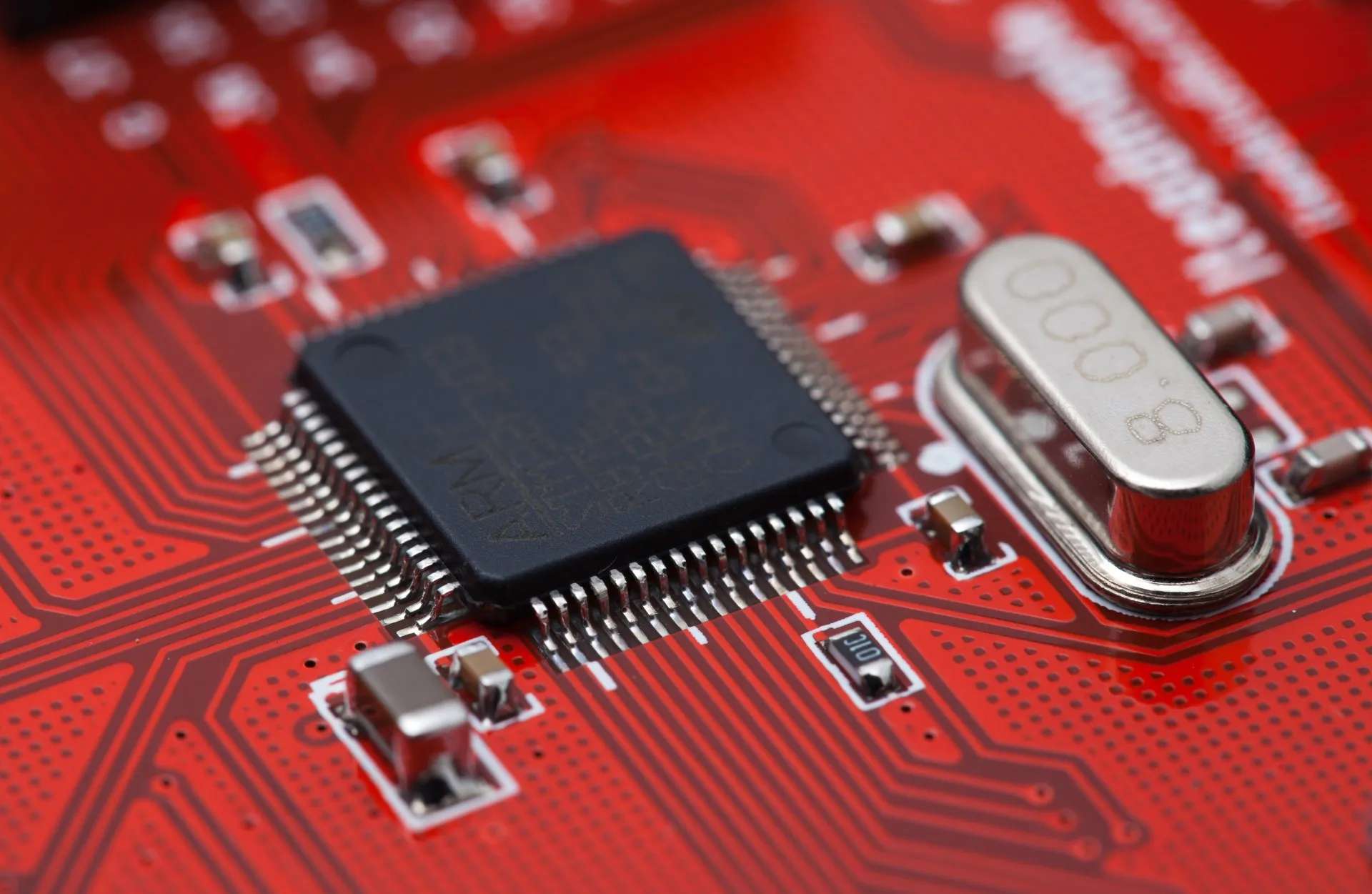
ARM Cortex parts cover small to serious. From low power M0 plus chips up to M7 class with floating point and high speed buses. Engineers pick them when performance and peripherals matter. You get proper ADCs, hardware timers, DMA, USB device or host, and sometimes Ethernet or CAN. Driver support is wide. STM32 and nRF52 parts are dependable across many suppliers. RP2040 adds PIO blocks that make custom serial protocols cheap to implement.
We like ARM when we have multiple interfaces to juggle or precise control loops to run. A motor controller with encoder feedback, a USB data logger, a wearable with BLE and sensors, a camera interface or audio processing chain. Tooling is heavier than Arduino but the control you gain is worth it. With SWD or JTAG you debug at source line level and watch registers in real time.
ESP32 - built in Wi Fi and BLE for connected devices
ESP32 is the first choice when Wi Fi or BLE are core to the product. The price to capability ratio is hard to beat. The S3 variant adds USB and vector extensions for simple ML tasks. The C3 brings RISC V in a small package with BLE and Wi Fi at very low cost. Modules remove RF risk and simplify certification paths. You do need to respect antenna keep outs and ground planes, and to budget power used by the radios.
Engineers worry about idle power and radio coexistence. The answer is duty cycle and smart sleep. Push data in bursts then sleep radios and CPU. Use light sleep and deep sleep modes aggressively. Store state in RTC memory. Use a buck regulator instead of a linear when running from Li Ion to avoid wasting energy. Measure real current on hardware not just read a spec sheet.
Buses and communication
Buses are not all equal. Choose based on speed, distance, noise and ecosystem.
- I2C - two wires and lots of sensors. Keep it short. Use proper pull ups and consider 400 kHz or 1 MHz fast mode only if your layout is clean.
- SPI - fast and simple. Great for displays, fast sensors and flash. Point to point works best. For multiple devices use separate chip selects and keep traces short and matched.
- UART - the universal debug link. Also used for GPS and modems. Add ESD protection on external connectors.
- CAN - robust in noisy environments. Perfect for robots and vehicles. Requires transceivers and proper termination. Works great with distributed nodes.
- USB - for bootloaders, data transfer and power delivery. USB C brings orientation and current negotiation, but read the spec and use proven controller chips.
- Ethernet - still the most reliable for gateways and high uptime devices. PHY and magnetics add BOM but remove Wi Fi headaches.
- BLE - great for phone pairing and low power data. Use nRF52 or ESP32. Be mindful of connection intervals and MTU when planning throughput.
- Wi Fi - good for high data bursts and cloud connectivity. Budget energy and plan for credentials, captive portals and fallbacks.
Wireless channels, range and the environment
Channels are how radios avoid talking over each other. In practice, they are slices of spectrum with a center frequency and width. Engineers choose channels based on interference in the venue, regulatory limits and how much throughput or latency the application needs. The trick is understanding how modulation, packet size and duty cycle turn into usable data under real interference.
| Tech | Band | Channel width | Packet size ballpark | Throughput ballpark | Range ballpark | Notes |
|---|---|---|---|---|---|---|
| BLE 5 | 2.4 GHz | 2 MHz | ~20 - 244 bytes app payload | ~100 kbps - 1 Mbps effective | Room to building | Great for sensors and phone links, watch connection interval and MTU |
| Wi Fi 2.4 | 2.4 GHz | 20 - 40 MHz | ~1500 byte frames | 10s of Mbps usable | Room to building | Heavily shared with mics, cameras and consumer gear |
| Wi Fi 5 GHz | 5 GHz | 20 - 80 MHz | ~1500 byte frames | 100s of Mbps usable | Room to line of sight | Clean but shorter range and DFS may apply |
| LoRa | 433/868/915 MHz | 125 - 500 kHz | ~10 - 200 bytes typical | ~0.3 - 50 kbps | City blocks to kilometers | Very robust at low data rates, duty cycle limits apply |
Packet size and reliability are not the same as headline speed. BLE can move more than you think if you raise MTU and use notifications effectively, but latency and connection interval still gate user experience. LoRa can cross a campus or a stadium but only with small payloads at measured intervals. Wi Fi carries large bursts when the air is clean but collapses under contention and noisy reflections.
What we choose in noisy venues
- Pick channels that do not collide with existing microphones and video links. Ask for the RF plan early.
- Prefer 5 GHz Wi Fi for short range high throughput when DFS is acceptable, or wire an Ethernet drop for mission critical links.
- Use BLE for control and provisioning, but do not stream high rate data over BLE in a theatre.
- For telemetry over distance, plan LoRa at conservative spreading factors and small payloads to respect duty cycle rules.
- Add antenna diversity or external antennas where allowed, and keep people and metal out of the near field.
Field note - the Sydney Opera House effect
During a project at the Sydney Opera House we saw a strange phenomenon. The building geometry and reflective surfaces created multipath that changed with audience presence. During rehearsal the link was stable. During the show, reflections and absorption from the audience shifted the fade pattern and the communication range collapsed in certain zones. If we were to do it again, we would survey with a spectrum analyzer during a full audience, plan channels with more margin, place access points to exploit line of sight from multiple angles, and use antenna diversity on the device. We would also split control and telemetry across different bands so a spike in one band does not take down both paths.
Power design and battery life
Power design is the difference between a week and a year of battery life. Start with a budget table. List every mode and current draw. Sleep, active without radio, active with radio, and charge. Multiply by time spent in each mode per hour or per day. Engineers then pick a regulator that is efficient at the currents you will actually draw, not just at peak.
| Mode | 8 bit | nRF52 | RP2040 | ESP32 S3 |
|---|---|---|---|---|
| Deep sleep | Microamps | Microamps | Low to medium | Hundreds of microamps to low milliamps |
| Active light | Very low | Very low | Low | Medium |
| Active with radio | N A | Low BLE | N A | Higher Wi Fi and BLE |
Pick buck regulators for Li Ion to 3.3 V. Pick LDOs only when input minus output voltage is small or when noise is critical for analog. Add reverse polarity protection and battery gauges early. Use load switches to kill rails to sensors that are not needed between bursts.
Security and encryption basics that matter
If a device connects to the world, treat security as a requirement. Use TLS for cloud links, validate certificates and pin roots where possible. Use secure boot if the MCU supports it so only signed firmware runs. Store keys in hardware if available or at least in flash that is read protected. Avoid rolling your own crypto. Use proven libraries and keep them updated.
- ESP32 - secure boot and flash encryption supported in ESP IDF. Use it.
- nRF52 - good BLE security and device management. Use bonding and whitelist where appropriate.
- STM32 - some parts have trust zone like isolation and cryptographic accelerators.
OTA and firmware update strategy
Plan updates from day one. OTA reduces returns and truck rolls. Use two slots so you can roll back if an update fails. Sign firmware images. Log update success and failures. For ESP32 use the OTA partition scheme in ESP IDF. For STM32 build a tiny bootloader that can fetch new images over serial, USB or network. For RP2040 use UF2 based drag and drop in development then a more automated path for production.
Memory, speed and peripherals - practical comparisons
| Family | Typical flash | Typical RAM | Speed ballpark | Peripherals you get |
|---|---|---|---|---|
| 8 bit | 8 KB to 64 KB | 1 KB to 8 KB | 8 to 20 MHz | Timers, ADC, PWM, UART, I2C, SPI |
| ARM Cortex M | 64 KB to 2 MB+ | 16 KB to 1 MB+ | 48 to 600 MHz | DMA, USB, CAN, SDIO, high res ADC |
| ESP32 family | 4 MB flash module typical | 320 KB internal plus PSRAM options | Up to 240 MHz dual core | Wi Fi, BLE, USB on S3, camera on some |
These are ballparks not guarantees. Always check the exact part datasheet. Also check package availability. Some perfect parts only ship in tiny BGA packages that complicate prototyping and raise assembly cost.
Development tools and ecosystems
Teams ship faster with familiar tools. Arduino is fine to start, but for production move to vendor SDKs for control and stability. ESP IDF for ESP32, STM32Cube HAL for STM32, nRF Connect SDK for nRF52, the Pico SDK for RP2040. Use a real debugger. SWD for ARM, JTAG for ESP32, and always expose a reliable UART for logging. Set up continuous integration so firmware builds reproducibly and tests basic checks on each commit.
PCB layout and hardware do and do not
- Decouple every power pin with small ceramic caps close to pins. Add bulk caps for surge.
- Keep high speed and high current loops tight. Route differential pairs together and length matched.
- Follow antenna keep out shapes and ground clearances exactly as module guides show.
- Partition analog and digital returns and join at a single point. Star ground is still useful.
- Expose SWD JTAG and UART on test pads for manufacturing.
- Add test points on power rails and on critical buses.
- Plan for ESD on connectors and for reverse polarity on power inputs.
Real world picks and example designs
We pick based on the constraint that dominates.
- Always on coin cell sensor - 8 bit ATTiny or nRF52 with BLE advertising. Focus on microamp sleep and infrequent bursts.
- BLE wearable with logging - nRF52840 or STM32 with external BLE if needed. BLE power wins and USB CDC for logs is handy.
- Wi Fi remote control or logger - ESP32 S3 module. Use deep sleep between bursts. Add hardware power switch for sensors.
- Precision motor controller - STM32G4 or F4 with encoder inputs. Use DMA and timers heavily. Provide a clean 24 V to logic power path with robust isolation.
- Education or quick prototyping - RP2040. Use PIO for odd protocols and cheap displays.
Quick selection tables
| Use case | Pick | Why |
|---|---|---|
| Always on coin cell | 8 bit or nRF52 | Microamp sleep, simple firmware |
| BLE gadget with phone app | nRF52 or ESP32 | Good BLE stacks and examples |
| Wi Fi gadget | ESP32 S3 or C3 | Connectivity on board, great price |
| Motor control or fast IO | STM32 F or G | Timers, DMA, FPU |
| Quick prototype with odd buses | RP2040 | PIO magic and price |
Common pitfalls and how to avoid them
- Forgetting level shifting between 5 V sensors and 3.3 V MCUs - fix by standardising to 3.3 V or adding shifters.
- Ignoring antenna keep outs - fix by copying the module reference layout exactly.
- No real power budget - fix by measuring current in all modes with a proper meter and logging duty cycles.
- Skipping secure boot and key management - fix by enabling vendor features and separating identity from app secrets.
- Choosing parts not available in volume - fix by checking distributor stock and second source modules before design freeze.
Summary and next steps
There is no single best microcontroller. There is a best one for your constraints. Start with power, connectivity and ecosystem. Pick the smallest family that meets the job. Prototype fast. Measure. Then lock the part and design the board for production. We help teams do this every week and we are happy to review your requirements and propose a short list that keeps risk low.
FAQ
Should we start with Arduino or go straight to vendor SDKs
Start with what gets you blinking and logging on real hardware today. Move to vendor SDKs before production so you control power modes, drivers and build pipelines.
How do we get good battery life with ESP32
Duty cycle radios, batch work, use deep sleep aggressively, pick a buck regulator, and measure real current. Avoid chatty protocols when you can push data in bursts.
What about secure elements
They are great for storing keys and doing crypto offload. Use them when you ship many devices or have high risk exposure. For low volume use MCU security features and strong processes.
FAQ
Can we use BLE for live audio or video
In a nutshell No. Saying that we can use BLE audio from 5.3 onwards however BLE is perfect for control and small data. Use Wi Fi or a dedicated AV link for media.
Is LoRa a replacement for Wi Fi
No. LoRa is for low data over long range with duty cycle limits. Use it for telemetry and alerts, not streams.
How do we avoid interference with wireless mics
Ask for the RF plan, avoid known occupied bands, and test on site. Consider 5 GHz Wi Fi or wired links for critical paths.
What packet size should we use
As small as delivers the job. Larger packets reduce header overhead but raise retry pain under loss. We often bundle data into moderate packets and acknowledge at chunk level.